


Remote teams lose track of critical decisions and action items when meetings end without clear summaries. Forgotten outcomes lead to duplicated work, missed deadlines, and frustration across distributed teams. This guide walks you through proven strategies to capture, organize, and distribute meeting summaries that drive accountability and keep remote teams aligned on priorities.
Table of Contents
Effective Follow-Up Strategies For Accountability And Action
Measuring Success And Expected Outcomes Of Meeting Summarization
Key takeaways
Point | Details |
|---|---|
Prepare ahead | Sharing agendas 24+ hours before meetings increases team preparedness by 40% and sets clear expectations. |
Structure matters | Use templates focusing on decisions, action items, and next steps to maintain consistency and clarity. |
Speed counts | Distributing summaries within 24 hours maximizes accountability and ensures tasks get completed on time. |
Avoid common pitfalls | Delayed summaries and excessive detail dilute clarity and contribute to 60% of meeting fatigue. |
Measure impact | Track completion rates and meeting effectiveness to verify your summarization process delivers results. |
Prerequisites for effective meeting summarization
Successful meeting summaries start before anyone joins the call. Remote and hybrid teams need specific preparations to capture meaningful outcomes and avoid the chaos of unclear notes.
Set up your technology stack first. Choose reliable video conferencing tools with built-in recording features or integrate dedicated transcription services. Test your audio and internet connection 15 minutes before each meeting to prevent technical disruptions that derail note-taking. Familiarize yourself with keyboard shortcuts and screen sharing to switch between tasks smoothly during discussions.

Distribute your agenda at least 24 hours before the meeting starts. Research shows that distributing clear agendas 24+ hours prior increases preparedness by 40% compared to last-minute or missing agendas. Include specific discussion topics, expected outcomes, and participant roles so everyone arrives ready to contribute.
Assign a dedicated note-taker or activate AI transcription before the meeting begins. Platforms like Kitra automate this process with real-time transcription and summary generation, freeing participants to focus on the conversation instead of frantically typing notes. Designating responsibility prevents the common scenario where everyone assumes someone else is capturing details.
Limit meeting duration to 45 minutes maximum. Shorter sessions maintain focus and make summarization manageable. Longer meetings generate overwhelming amounts of information that become difficult to distill into actionable summaries.
Pro Tip: Create a standardized template for your meeting summaries that includes sections for decisions made, discussion highlights, action items with owners, and deadlines. Consistency helps teams quickly scan summaries and find relevant information.
Integrate your calendar and communication apps to streamline scheduling and distribution. Connect Google Calendar, Outlook, Slack, and Microsoft Teams so meeting invites automatically include agenda links and summaries reach the right channels immediately after sessions end.
Tool Type | Primary Function | Integration Benefits |
|---|---|---|
Video conferencing | Host remote meetings with recording | Built-in transcription saves manual note-taking time |
AI transcription | Convert speech to searchable text | Captures complete discussion without human error |
Task management | Track action items and deadlines | Automatically creates tasks from summary action items |
Communication platforms | Share summaries with team | Ensures immediate distribution to all participants |
Step-by-step process to summarize meetings effectively
Follow this proven sequence to capture high-quality meeting summaries that drive results for remote teams.
Distribute the agenda 24+ hours before the meeting. Send a document outlining discussion topics, expected decisions, and participant responsibilities. Early distribution gives team members time to prepare thoughts and gather necessary information.
Designate your note-taker or activate AI transcription. Announce the note-taker at the meeting start or confirm your AI tool is recording. Companies using structured meeting summaries with clear agendas see a 30% increase in meeting effectiveness and action follow-through compared to unstructured approaches.
Use your standardized template during the meeting. Focus on capturing decisions, key discussion points, and action items with assigned owners and deadlines. Skip verbatim transcription of every comment. Instead, distill conversations into their essential outcomes and conclusions.
Review the summary immediately after the meeting ends. Spend 5 to 10 minutes clarifying unclear points while details remain fresh. Verify that action items have specific owners and realistic deadlines. Add context where necessary to help absent team members understand decisions.
Distribute the final summary within 24 hours. Send through your team's primary communication channel, whether that's email, Slack, or Microsoft Teams. Include direct assignments for each action item so recipients know exactly what they need to do next.
Integrate summaries into your workflow tools. Convert action items into tasks within your project management system. Link the full summary in relevant project folders so team members can reference decisions later. Kitra's AI summarization features automatically sync action items to connected task management platforms, eliminating manual data entry.
Pro Tip: Record a short video summary for complex decisions or technical discussions. A 2-minute video walk-through often communicates nuance better than written notes alone, especially when explaining visual concepts or demonstrating processes.
Approach | Distribution Time | Action Item Completion Rate | Team Satisfaction |
|---|---|---|---|
Manual notes without template | 2-3 days | 45% | Low |
Structured template with designated note-taker | Within 24 hours | 75% | Medium |
AI transcription with immediate distribution | Within 2 hours | 85% | High |
Common mistakes and how to avoid them
Even well-intentioned teams make predictable errors that undermine meeting summarization effectiveness. Recognizing these pitfalls helps you avoid wasted effort and frustrated colleagues.
Relying on memory or skipping a designated note-taker creates inconsistent records. When everyone assumes someone else is taking notes, critical details fall through the cracks. Different team members remember different aspects of the same conversation, leading to conflicting accounts of decisions. Fix this by explicitly assigning note-taking responsibility at the meeting start or using AI transcription to create an objective record.
Delaying summary distribution beyond 24 hours dramatically reduces follow-through. Inadequate or delayed meeting summaries contribute to 60% of meeting fatigue and disengagement among remote workers. Team members lose context, forget their commitments, and move on to other priorities. Strike while the iron is hot by distributing summaries the same day whenever possible.
Including irrelevant details dilutes the value of your summary. Some note-takers capture every comment and tangential discussion, producing documents that nobody reads. Lengthy summaries bury action items under pages of unnecessary context. Focus exclusively on decisions made, key insights shared, and next steps required. Remove side conversations and off-topic remarks.
Pro Tip: Create a "parking lot" section in your summary for ideas or topics that arose but weren't resolved. This acknowledges valuable input without cluttering the main action items, and provides a reference for future meeting agendas.
"The best meeting summary is the one people actually read and act on. Keep it short, make actions crystal clear, and distribute immediately."
Failing to assign specific owners to action items guarantees incomplete follow-through. Vague statements like "team should investigate options" leave everyone waiting for someone else to take initiative. Instead, write "Sarah will research three vendor options by Friday" to create clear accountability. Kitra's meeting follow-up tools automatically tag action item owners and send reminders as deadlines approach.
Effective follow-up strategies for accountability and action
Capturing great summaries means nothing if action items never get completed. Implement these follow-up strategies to transform meeting notes into actual results.
Share your summary immediately after the meeting with all action items clearly assigned. Tag specific team members in your communication platform so they receive direct notifications about their responsibilities. Include deadlines for each task and link to relevant project resources or background materials.
Use communication platforms with built-in reminders and task tracking. Tools like Slack, Microsoft Teams, and Kitra's task tracking send automatic notifications as deadlines approach. These gentle nudges keep commitments top of mind without requiring manual check-ins. Follow-up workflows integrated into communication platforms with reminders improve accountability and reduce missed deadlines by 30% compared to email-only approaches.
Track action item completion rates and report progress to the team. Create a simple dashboard showing open tasks, completed items, and upcoming deadlines. Regular visibility encourages accountability and helps identify bottlenecks before they derail projects. Share this dashboard in your team channel or during your next meeting.
Schedule regular follow-up check-ins for complex action items. Some tasks require ongoing collaboration or face unexpected obstacles. A quick 15-minute sync one week after assignment helps team members stay on track and request support when needed. These brief touchpoints prevent small issues from becoming major delays.
Send summaries within 2 hours for urgent action items requiring immediate attention
Tag action item owners directly in summaries to trigger notifications
Set calendar reminders for 48 hours before major deadlines
Review completion rates weekly to identify patterns and improve processes
Celebrate completed tasks publicly to reinforce accountability culture
Measuring success and expected outcomes of meeting summarization
Track specific metrics to verify your meeting summarization process delivers value and identify opportunities for continuous improvement.
Measure the increase in meeting effectiveness after implementing structured summaries. Survey participants about clarity, actionability, and satisfaction with meeting outcomes. Companies see a 30% increase in meeting effectiveness with structured summaries compared to unstructured or missing documentation. Look for improvements in decision-making speed and reduced need for follow-up meetings to clarify previous discussions.
Track your summary distribution time and action item completion rates. Calculate the average hours between meeting end and summary delivery. Monitor what percentage of assigned tasks get completed by their deadlines. These concrete numbers reveal whether your process actually drives results or just creates more documentation.
Monitor reported meeting fatigue among team members. Regular pulse surveys asking about meeting load, clarity, and usefulness provide early warning signs when summarization quality slips. Decreasing fatigue scores indicate your summaries are helping teams accomplish more with fewer, more focused meetings.
Evaluate meeting ROI improvements by keeping sessions concise and goal-driven. Track the average meeting duration and number of participants. Companies implementing effective summarization practices often see 20% higher meeting ROI by eliminating unnecessary meetings and reducing participant lists. Calculate time saved across your organization by multiplying meeting duration reductions by participant count and average hourly costs.
Kitra's meeting analytics automatically track these metrics and provide insights into your team's meeting patterns, helping you optimize both the meetings themselves and the summarization process.
Metric | Baseline | After Implementing Structured Summaries | Improvement |
|---|---|---|---|
Action item completion rate | 55% | 85% | +30 percentage points |
Summary distribution time | 48 hours | 4 hours | 92% faster |
Meeting effectiveness score | 6.2/10 | 8.1/10 | +31% |
Follow-up meetings needed | 3 per week | 1 per week | 67% reduction |
Improve your meeting summaries with Kitra
Manual meeting summarization consumes valuable time and often produces inconsistent results across different note-takers. Kitra's AI-powered platform automatically transcribes meetings, generates structured summaries, and extracts action items with assigned owners and deadlines.
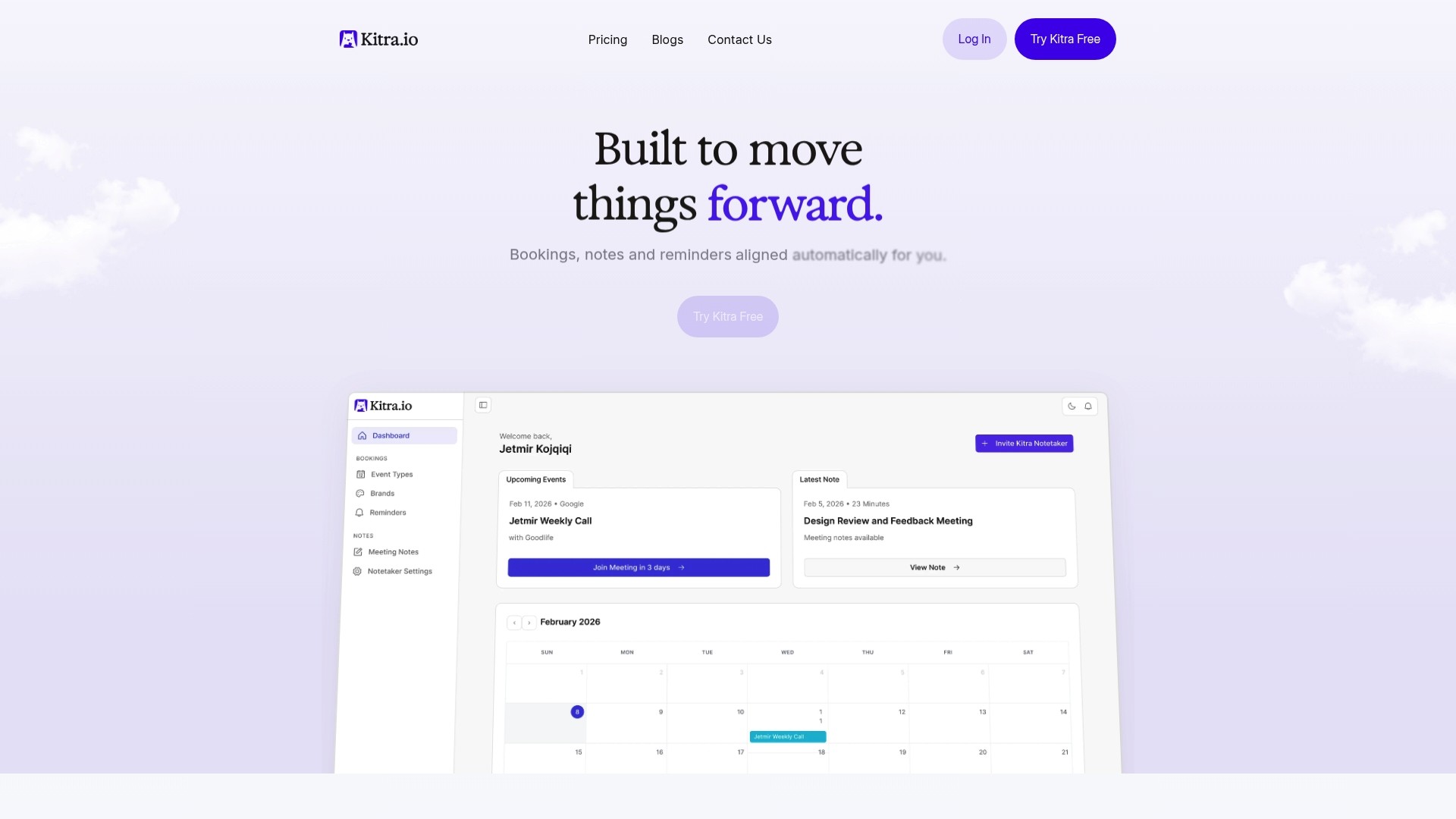
The platform integrates seamlessly with your existing tools including Google Calendar, Outlook, Zoom, Microsoft Teams, Google Meet, and Slack. This means summaries automatically reach your team through their preferred communication channels, and action items sync directly to your task tracking tools without manual data entry. Remote and hybrid teams using Kitra report significant improvements in meeting clarity, accountability, and follow-through rates while spending less time on administrative tasks.
FAQ
How soon should I distribute meeting summaries after a remote meeting?
Distribute summaries within 24 hours maximum for best results. Research shows faster distribution dramatically improves action item completion rates and maintains momentum from meeting discussions. For urgent decisions or time-sensitive action items, aim to send summaries within 2 to 4 hours while details remain fresh in everyone's minds.
What are the essential components to include in a meeting summary?
Effective meeting summaries include decisions made, key discussion points, assigned action items with deadlines, and next steps. Skip verbatim transcripts and focus on outcomes rather than process. Each action item needs a specific owner and realistic deadline. Include links to relevant resources or background materials that help team members complete their tasks.
Can AI tools replace a human note-taker for meeting summaries?
AI tools dramatically speed up transcription and improve consistency in summaries across different meetings. They excel at capturing complete discussions without missing details due to multitasking or fatigue. However, human oversight remains important for adding context, clarifying ambiguous statements, and ensuring action items reflect actual intent. The best results come from combining AI assistance like Kitra with a designated person who reviews and refines the automated output before distribution.
How do I ensure action items from meetings are completed on time?
Share assigned tasks immediately after meetings with clear owners and deadlines. Use platforms with reminder and notification features that automatically alert team members as deadlines approach. Follow-ups with reminders integrated into communication platforms reduce missed deadlines by 30% compared to manual tracking. Regularly review completion rates with your team and celebrate finished tasks publicly to reinforce accountability. Kitra's task tracking tools automate these reminders and provide visibility into progress across all meetings.